
The screen glows softly as a crypto holder prepares to move digital assets from Coinbase to Kraken. It feels simple, yet each step carries value and care.
Both exchanges serve millions, but Kraken often offers better trading tools, security layers, and lower fees. Before beginning, wallet addresses must match perfectly, and the network type should be double-checked to avoid mistakes. One wrong digit can send coins into the void forever.
This guide walks through the exact process of transferring crypto safely, from setting up accounts to confirming the final deposit. Every step keeps the focus on clarity, security, and confidence, helping the transfer move smoothly from one trusted platform to another.
Understanding the Basics: Coinbase and Kraken
Coinbase
Coinbase is one of the most beginner-friendly cryptocurrency exchanges, known for its clean interface and straightforward trading process. It allows users to buy, sell, and store popular digital currencies such as Bitcoin, Ethereum, and Litecoin. Its strong security system, regulatory compliance, and built-in learning resources make it a trusted choice for newcomers. However, Coinbase often charges slightly higher transaction fees compared to other exchanges, which can impact frequent traders.
Kraken
Kraken, on the other hand, is designed for users who want more control and advanced trading options. It offers lower fees, deeper market charts, and features like margin trading and staking. Kraken’s reputation for robust security and transparent operations makes it a preferred platform for both casual investors and experienced traders seeking long-term growth.
Why Transfer Crypto from Coinbase to Kraken?
Lower Trading Fees
Many users move their assets to Kraken to take advantage of its lower trading and withdrawal fees. Over time, these savings can make a noticeable difference, especially for active traders.
Access to More Trading Features
Kraken offers advanced options like futures trading, staking, and margin trading. These tools help users grow their portfolios beyond simple buying and selling.
Better Security Options
Kraken is known for its strong security protocols, cold storage practices, and two-factor authentication, which provide extra protection for digital assets.
More Supported Cryptocurrencies
While Coinbase supports many coins, Kraken often lists additional tokens and trading pairs, giving investors a wider range of opportunities.
Professional-Level Tools
Kraken’s detailed charts and market analytics attract those who want deeper insights into market movements and price trends.
Comparing Fees: Coinbase vs. Kraken
| Feature | Coinbase | Kraken |
| Trading Fees | Usually between 0.4% to 0.6% for most trades, making it slightly more expensive for active users. | Starts around 0.16% (maker) and 0.26% (taker), offering better rates for frequent traders. |
| Deposit Fees | Most crypto deposits are free, but bank transfers may include small service charges. | Crypto deposits are free, and bank transfers usually cost less than Coinbase. |
| Withdrawal Fees | Charges vary depending on the cryptocurrency and network congestion. | Typically lower than Coinbase, with transparent and fixed withdrawal fees. |
| Staking Rewards | Offers fewer staking options with moderate returns. | Provides higher staking rewards and supports more coins. |
| Overall Value | Great for beginners who prefer simplicity. | Better for experienced traders seeking lower costs and advanced features. |
Preparing for the Transfer: Setting Up Your Accounts
Before transferring crypto from Coinbase to Kraken, a few key preparations make the process smooth and secure. Start by ensuring that both your Coinbase and Kraken accounts are fully verified. This includes completing identity verification steps such as uploading an ID and confirming your email address. Verification helps prevent withdrawal limits and security delays during the transfer.
Next, double-check that you have access to the correct Kraken wallet address for the cryptocurrency you plan to transfer. Each coin has its own address, and using the wrong one could result in permanent loss of funds.
Make sure two-factor authentication (2FA) is active on both platforms for extra protection. Finally, confirm your internet connection is stable and that you’re transferring during an active network period to avoid long confirmation times. A few minutes of preparation ensures that your funds reach Kraken safely and without stress.
How to Transfer Crypto from Coinbase to Kraken: A Step-by-Step Guide
Step 1: Log in to Your Kraken Account
Start by signing in to your Kraken account on the official website or app. Make sure the connection is secure and 2FA is enabled for added protection.
Step 2: Generate a Kraken Deposit Address
Go to the “Funding” section, select Deposit, and choose the cryptocurrency you want to receive. Kraken will generate a unique wallet address for that coin. Copy it carefully—every character must match exactly.
Step 3: Log in to Your Coinbase Account
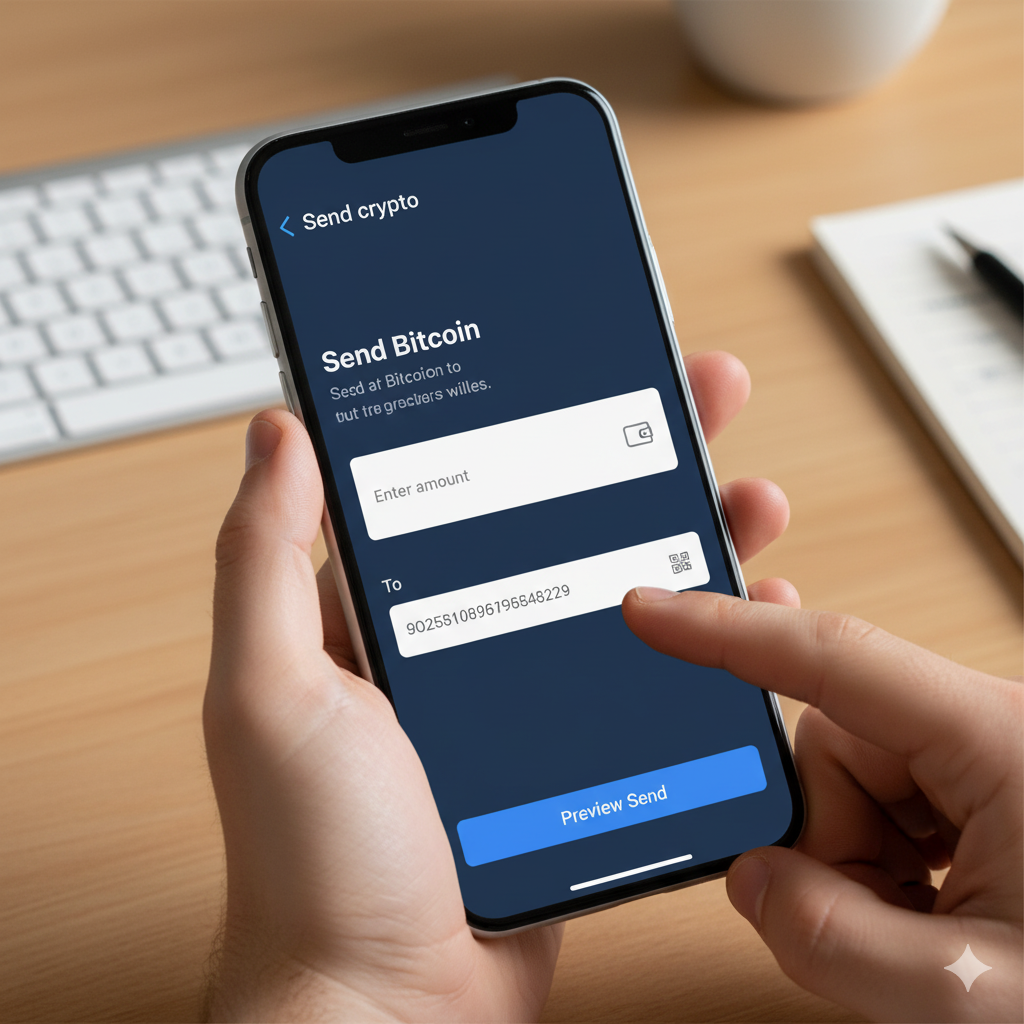
Open your Coinbase account and head to the Send/Receive section. Select Send to begin the transfer process.
Step 4: Choose the Cryptocurrency to Transfer
Select the same cryptocurrency you generated the address for on Kraken. Always make sure both platforms use the same network (for example, ERC-20 for Ethereum).
Step 5: Paste the Kraken Deposit Address
Paste the copied Kraken wallet address into the recipient field on Coinbase. Double-check it for accuracy, as even a single mistake can lead to loss of funds.
Step 6: Enter the Amount to Transfer
Type the amount of crypto you want to move. Coinbase will show an estimated fee before confirmation, so review the total carefully.
Step 7: Confirm the Transaction
After verifying the address and amount, confirm the transaction. Coinbase may ask for two-factor authentication to finalize the transfer.
Step 8: Wait for Blockchain Confirmation
Once sent, the transaction will appear as “Pending.” Depending on network congestion, confirmations may take anywhere from a few minutes to an hour.
Step 9: Check Your Kraken Account
After enough confirmations, the transferred crypto will appear in your Kraken balance. You’ll receive a notification once the deposit is complete.
Step 10: Secure and Review Your Funds
Finally, confirm the amount matches what you sent. Store your funds safely, enable all security features, and consider moving long-term holdings to a hardware wallet for added safety.
Troubleshooting Common Issues During the Transfer Process
Sometimes, transferring crypto from Coinbase to Kraken doesn’t go as smoothly as planned. Delays, missing funds, or pending transactions can cause frustration, but most issues have simple solutions.
If a transfer takes too long, check the blockchain explorer to confirm whether the transaction has been processed. Slow confirmations often happen due to network congestion. If the funds never appear, verify that the correct wallet address and network type were used.
Always ensure the selected coin (like Bitcoin or Ethereum) matches on both exchanges. Updating both apps to the latest versions and clearing cache can fix display errors. For unresolved problems, contact Coinbase or Kraken support with your transaction ID for quick assistance and accurate tracking.
Tips for Safeguarding Your Crypto During Transfers
Double-Check Wallet Addresses
Always copy and paste the wallet address directly from Kraken to Coinbase. Even one wrong character can result in permanent loss of funds.
Verify Network Compatibility
Make sure both exchanges use the same blockchain network for the selected cryptocurrency before sending.
Enable Two-Factor Authentication (2FA)
Protect both accounts with 2FA to prevent unauthorized access during the transfer process.
Avoid Public Wi-Fi
Perform transfers only on secure, private internet connections to reduce the risk of hacking or data interception.
Start with a Small Test Transfer
Send a small amount first to confirm everything works before transferring larger sums.
Monitor Blockchain Confirmations
Track your transaction using the blockchain explorer to verify it’s processing correctly.
Keep Devices Updated
Ensure your computer or phone has the latest security updates and antivirus protection enabled.
Stay Alert for Phishing Links
Always log in using official Coinbase and Kraken websites or apps to avoid scams and fake login pages.
Last Words
Transferring crypto from Coinbase to Kraken becomes simple once the process is clearly understood. With the right preparation, every step—from generating the deposit address to confirming the transaction—can be completed smoothly and securely.
Double-checking wallet details, using strong authentication, and verifying the correct network are small but powerful habits that protect your funds. Kraken’s lower fees and advanced tools make it a strong choice for traders seeking more control over their assets. Treat every transfer with patience and precision to avoid costly mistakes.
Once complete, your crypto will rest safely in a platform known for its stability, giving you confidence to trade, stake, or hold your digital assets with peace of mind.
FAQs
Yes, crypto can be moved from Coinbase to Kraken easily. The process involves generating a deposit address on Kraken for the specific cryptocurrency, then sending funds from Coinbase to that address. Always confirm that both exchanges support the same network for the coin you’re transferring.
To send crypto from Coinbase to any other platform, open your Coinbase account, select Send/Receive, choose the cryptocurrency, and paste the recipient’s wallet address from the destination platform. Double-check the address and network before confirming the transaction.
Log in to Kraken, go to Funding > Deposit, and copy the wallet address for your chosen cryptocurrency. Then, from Coinbase, select Send, paste the Kraken address, enter the amount, and confirm the transfer.